
The Teachable / WordPress Fix: How to Dynamically Overwrite Default Coupons with Referral Codes
Using referral codes to drive traffic to your WordPress site is a great way to build a stronger affiliate network.
Teachable’s built-in refer-a-friend feature is a fantastic way to turn happy students into active promoters. But if you’re driving that referral traffic to a custom WordPress site instead of directly to Teachable, you are likely missing a crucial conversion step.
The problem? Standard page caching on your WordPress site will absolutely break Teachable’s referral tracking if you are relying on simple JavaScript to find the code.
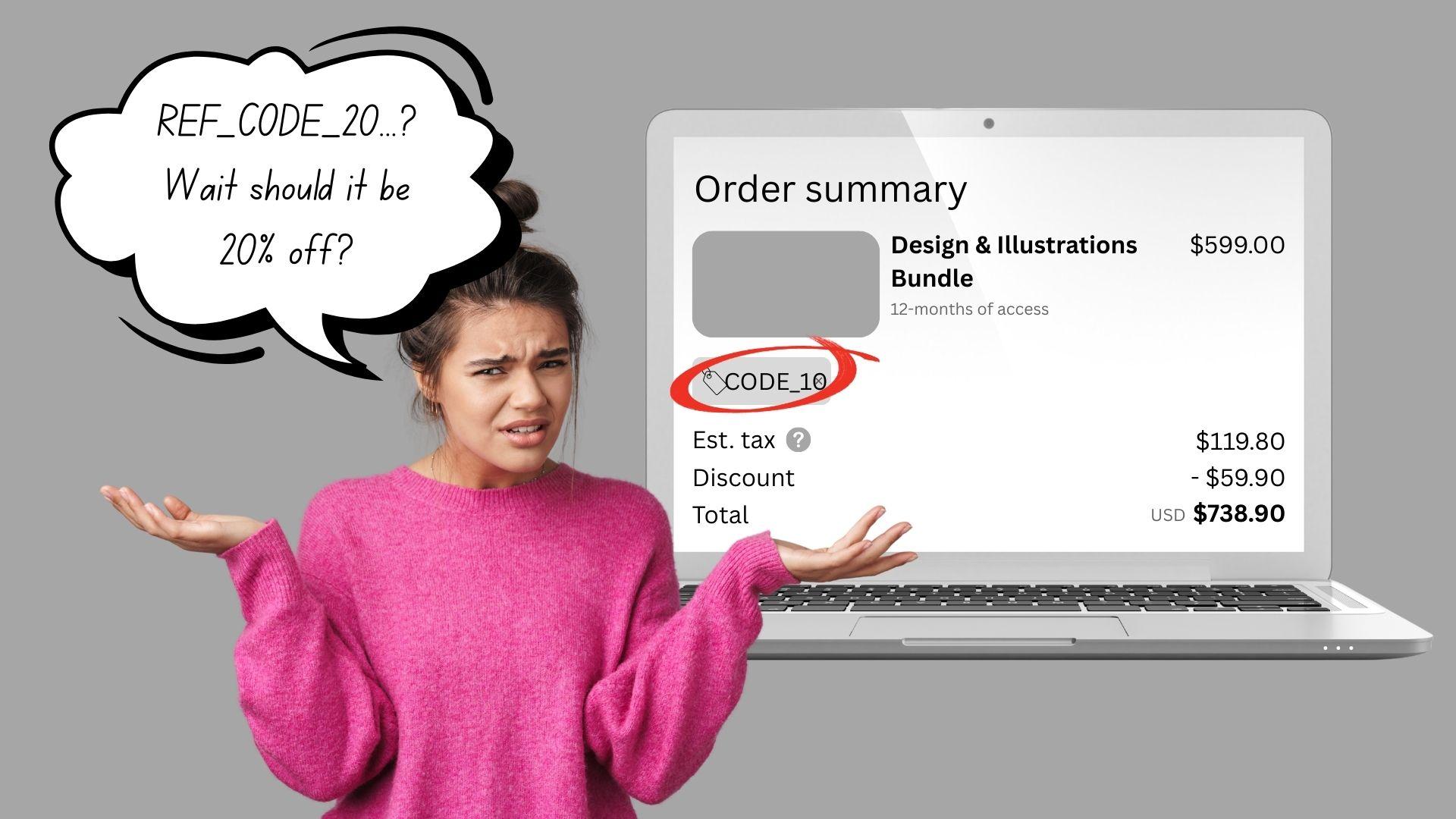
Even worse, if your regular site buttons are hardcoded with a “base” discount (like 10% off for everyone), and a user clicks a “refer-a-friend” link offering 20% off, Teachable often defaults to the code on the button, not the better referral offer. This creates a confusing experience for the customer, who thinks they aren’t getting the right discount, and can cost your affiliates their hard-earned commissions.
Here is exactly how we fixed this “coupon conflict” by creating a seamless, cache-proof bridge between WordPress and Teachable.
The Technical Roadblock: Why Standard JS Fails
When a user clicks a Teachable referral link (e.g., yoursite.com/a/sref_xyz123/external?referral_code=ABCDE), Teachable’s server drops a tracking cookie in their browser. This cookie, containing the valuable referral code, is marked as HttpOnly.
For non-developers, HttpOnly is a massive security feature that means your standard WordPress JavaScript is completely blind to it. It must be read by the server.
You might think, “Easy, I’ll just use a bit of PHP to read the cookie and print it into the HTML!”
This is where you hit The Roadblock of WP Caching. Tools like WP Rocket, W3 Total Cache, or host-level caching are designed to serve static HTML. When the first visitor hits your page, WordPress runs the PHP, finds a code (or no code), and saves that exact HTML snapshot.
Every single visitor after that, regardless of whether they have a referral code or not, gets handed that same frozen snapshot. It’s a complete “game over” for dynamic referral tracking.
The Breakthrough: The REST API “Cookie-Knock” Strategy
We finally cracked this using a two-step “push/pull” approach that completely bypasses page caching while keeping your site blazing fast. Instead of forcing PHP to load the whole page (which gets cached), we have JavaScript quietly make a single background “ping” to the server after the page loads.
Here is the three-part solution.
Part 1: The Server-Side Secret Agent (PHP)
We need to create a tiny “back door” on our WordPress server that our site can use to check a specific user’s actual, live cookies. We add a custom endpoint to the WordPress REST API.
Crucially, we tell this endpoint, “Do not let any caching tool save your answer. Every time someone asks you a question, you must run the PHP fresh and give them the real, live truth from their browser.”
Drop this snippet into your child theme’s functions.php file or a plugin like Code Snippets.
[CODE SNIPPET AREA 1: The PHP]
// 1. Register a custom REST API endpoint to fetch the cookie safelyadd_action('rest_api_init', function () { register_rest_route('teachable-integration/v1', '/get-cookie', array( 'methods' => 'GET', 'callback' => 'fetch_teachable_cookie_endpoint', 'permission_callback' => '__return_true' // Allow logged-out users to check ));});
// 2. Define the callback function to find the cookie and return itfunction fetch_teachable_cookie_endpoint() {// ESSENTIAL: Force proxies and caching layers NOT to cache this dynamic responseheader('Cache-Control: no-cache, must-revalidate, max-age=0, post-check=0, pre-check=0');header('Pragma: no-cache');header('Expires: Wed, 11 Jan 1984 05:00:00 GMT'); // Any date in the past
// Check if the server sees the specific Teachable coupon cookie if (isset($_COOKIE['coupon_code'])) { return new WP_REST_Response(array('coupon' => sanitize_text_field($_COOKIE['coupon_code'])), 200); }
// Return null if no cookie is found return new WP_REST_Response(array('coupon' => null), 200);}Part 2: The Client-Side Dispatcher (JavaScript)
Now, we need our WordPress site to ask that API for the code. This is the crucial part that defeats caching.
When the page loads (completely generic, cached HTML), our JavaScript immediately makes a background call to the REST API endpoint we just made. Crucially, we append a random number (a “cache-buster”) to the API URL. This forces your server (and intermediate caches) to treat every request as unique and run the PHP fresh.
If the server finds a valid referral code, the JavaScript then scans your page and dynamically overwrites the existing, default coupon code in your “Buy Now” button URLs with the shiny new, better referral code.
Drop this script into your WordPress site’s global footer or Custom JS settings.
[CODE SNIPPET AREA 2: The JavaScript]
document.addEventListener("DOMContentLoaded", async () => {try {// 1. Defeat API caching by appending a unique timestamp (cache-buster) to the URLconst cacheBuster = Date.now();const apiUrl = `/wp-json/teachable-integration/v1/get-cookie?_t=${cacheBuster}`;
// 2. Fetch the data, explicitly sending credentials (necessary to pass HttpOnly cookies) const response = await fetch(apiUrl, { method: 'GET', credentials: 'same-origin', headers: { 'Cache-Control': 'no-cache' } });
const data = await response.json();
// 3. If a referral code was successfully found... if (data && data.coupon) {
// Grabbing all buttons pointing to any Teachable subdomain (checkout, sso, etc.) const buttons = document.querySelectorAll('a[href*=".teachable.com"]');
buttons.forEach(button => { const href = button.getAttribute('href');
if (href) { try { // Create a modern URL object to safely parse and modify the link const urlObj = new URL(href);
// Safely overwrite the existing coupon_code (e.g., HMPG10) with the referral code urlObj.searchParams.set('coupon_code', data.coupon);
// Update the button with the new URL button.setAttribute('href', urlObj.toString());
} catch (e) { console.error("URL Parsing Error:", e); } } }); } } catch (error) { console.error("Failed to fetch referral cookie:", error); }});Part 3: Overwriting the Default Coupon
This last part is the “secret sauce.” Let’s say your standard “Buy Now” button looks like this:
https://checkout.teachable.com/...&coupon_code=DEFAULT_10
When a referral clicks through, their cookie contains the 20% code, REF_CODE_20. If we take them to the standard checkout URL, Teachable will read the 10% code already in the URL and apply it. It essentially chooses the bird in the hand (DEFAULT_10) over the bird in the bush (the referral cookie).
By using the modern JavaScript URL.searchParams.set() method, we are essentially intercepting that handoff. We are telling the browser: “If you are a referred user, erase the hardcoded 10% coupon from the button and replace it with your own 20% coupon code BEFORE you send the user to Teachable.”
Conclusion: Trust, Commission, and Seamless CX
This solution provides the best of all worlds. Regular site visitors still get their default 10% off. Referred users get their higher 20% off. Because the code is in the button URL, the discount appears automatically on the checkout page.
For the customer, the experience is seamless. For you, the creator, it guarantees your affiliate commissions are tracked accurately, building trust with your partners. It proves that with a little creativity (and the WordPress REST API), you can defeat caching and build truly dynamic experiences.
The Teachable Infrastructure Checklist
Download the exact architectural framework I use to audit, stabilize, and scale 6- and 7-figure Teachable ecosystems.
- Find the hidden API and webhook errors that are silently failing.
- Audit your staff permissions to close critical security gaps.
- Map your exact data flow from Teachable to your CRM safely.